How to use AWS Lambda to generate PDFs with a simple API
Generating PDFs at scale used to be a headache. You had to manage servers, install headless browsers (like Puppeteer), and constantly worry about memory leaks or crashing your server.
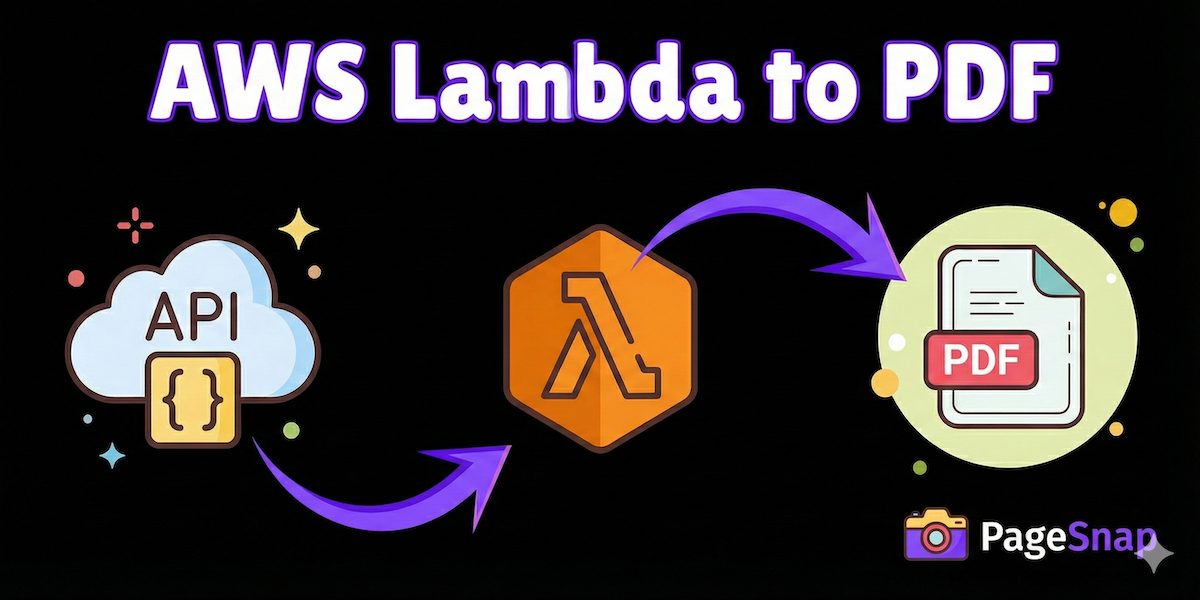
Today, there is a better way. By combining AWS Lambda (serverless compute) with PageSnap (a dedicated PDF generation API), you can build a scalable, reliable PDF service in just a few minutes.
Why this approach?
- No maintenance: You don’t need to update servers or browsers.
- Infinite Scale: AWS Lambda handles the traffic spikes, and PageSnap handles the heavy lifting of rendering.
- Cost Effective: You only pay when you actually generate a PDF.
Step 1: Get your PageSnap Credentials
Before we write code, you need an API key.
- Sign up at PageSnap.co.
- Go to your Dashboard.
- Copy your API Key and Username.
Step 2: Create your Lambda Function
- Log in to your AWS Console and navigate to Lambda.
- Click Create function.
- Name it
generate-pdf. - Choose Node.js 20.x (or the latest version) as the Runtime.
- Click Create function.
Step 3: Write the Code
We will use the native fetch API available in Node.js to send a request to PageSnap.
In the Code Source section of your Lambda function, replace the contents of index.mjs with this code:
JavaScript
export const handler = async (event) => {
  // 1. Get the URL you want to convert from the event
  const targetUrl = event.url || 'https://google.com';

  // 2. Prepare your credentials (Use Environment Variables in production!)
  const username = 'YOUR_PAGESNAP_USERNAME';
  const apiKey = 'YOUR_PAGESNAP_API_KEY';

  // 3. Create the Basic Auth header
  const authHeader = 'Basic ' + Buffer.from(username + ':' + apiKey).toString('base64');

  try {
    // 4. Call the PageSnap API
    const response = await fetch('https://api.pagesnap.co/snap', {
      method: 'POST',
      headers: {
        'Authorization': authHeader,
        'Content-Type': 'application/json'
      },
      body: JSON.stringify({
        contents: {
            urls: [targetUrl]
        },
        // Optional: Add tweaks like margins or hiding images
        options: {
            margin_top: "1cm",
            margin_bottom: "1cm",
            print_background: true
        }
      })
    });

    const data = await response.json();

    if (!response.ok) {
      throw new Error(data.message || 'Failed to generate PDF');
    }

    // 5. Return the PDF URL
    return {
      statusCode: 200,
      body: JSON.stringify({
        message: 'Success!',
        pdf_url: data.pdf
      })
    };

  } catch (error) {
    return {
      statusCode: 500,
      body: JSON.stringify({ error: error.message })
    };
  }
};
Step 4: Test your Function
Now, let’s see if it works.
- Click the Test tab in Lambda.
- Create a new event with this JSON:JSON
{ "url": "https://en.wikipedia.org/wiki/Cloud_computing" } - Click Test.
In a few seconds, you should see a green success box. Expand the execution results, and you will find a pdf_url in the body. Click it to download your freshly generated PDF!
Conclusion
That’s it! You now have a serverless function that can turn any webpage into a PDF.
Because PageSnap handles the complex rendering (including JavaScript and CSS), you don’t need to install heavy libraries in your Lambda. You can easily connect this function to AWS API Gateway to trigger it from your own frontend application.
Happy printing!